Tạo Access Key
Tạo Access key
-
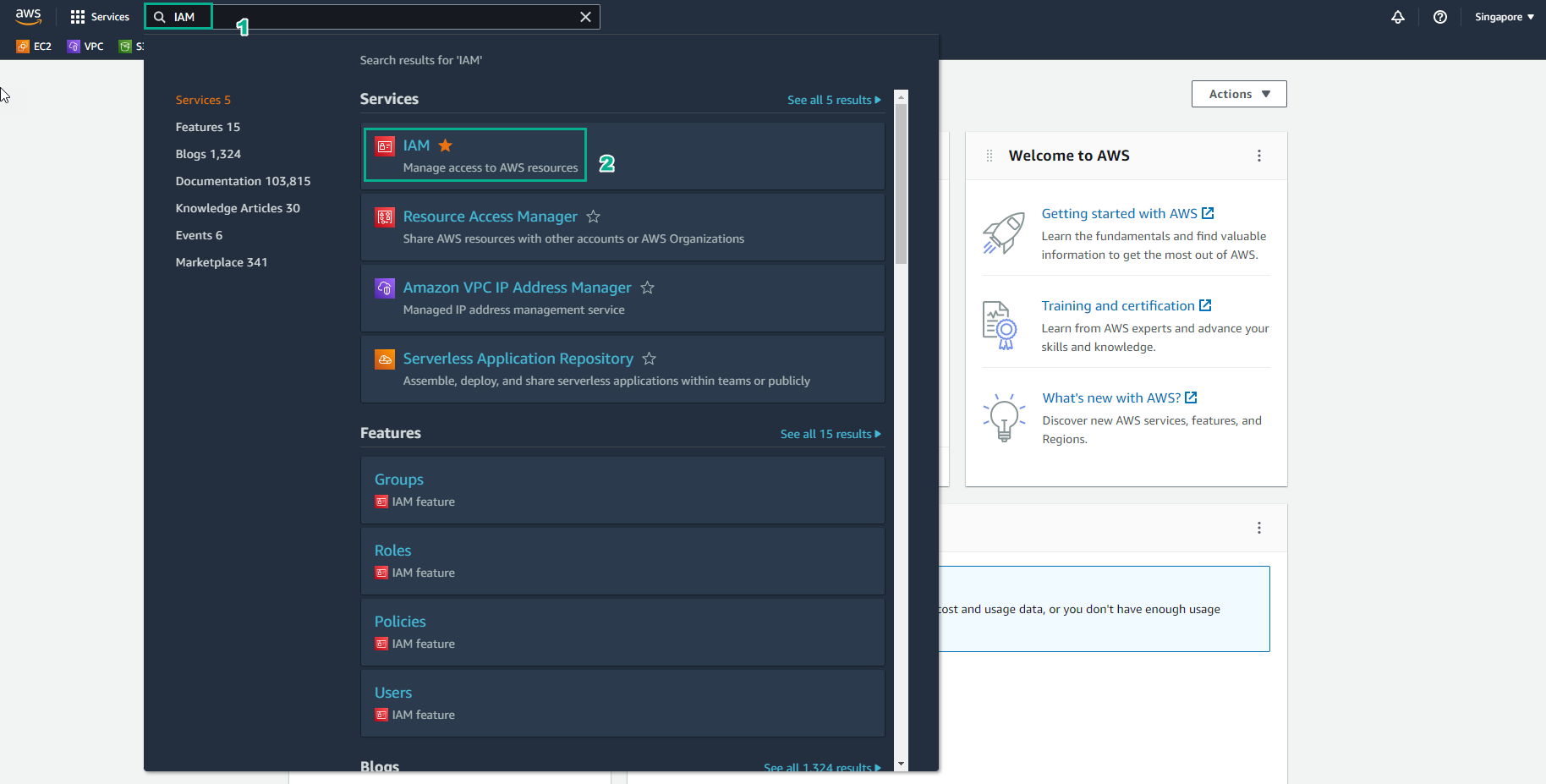
Truy cập vào AWS Management Console
- Tìm IAM
- Chọn IAM
-
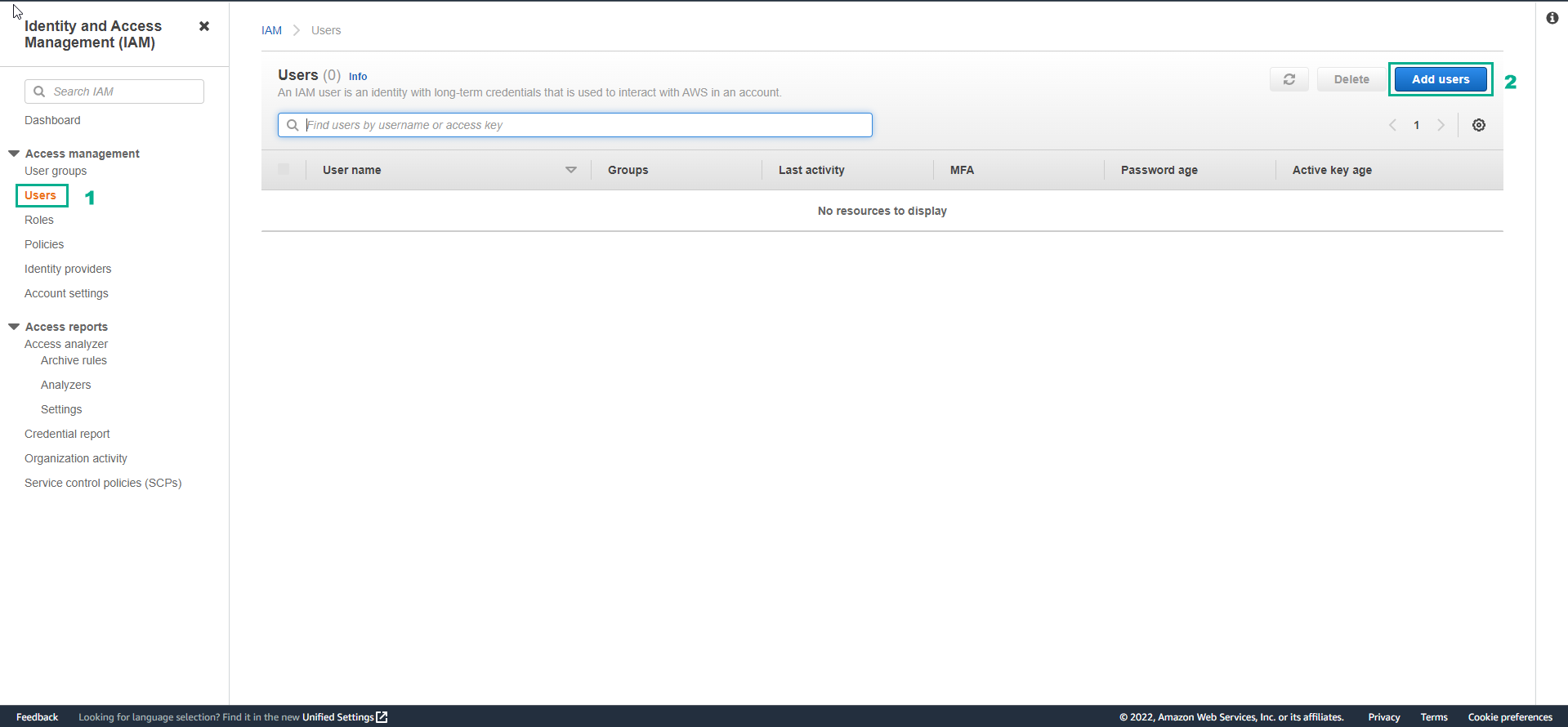
Trong giao diện IAM
- Chọn Users
- Chọn Add user
-
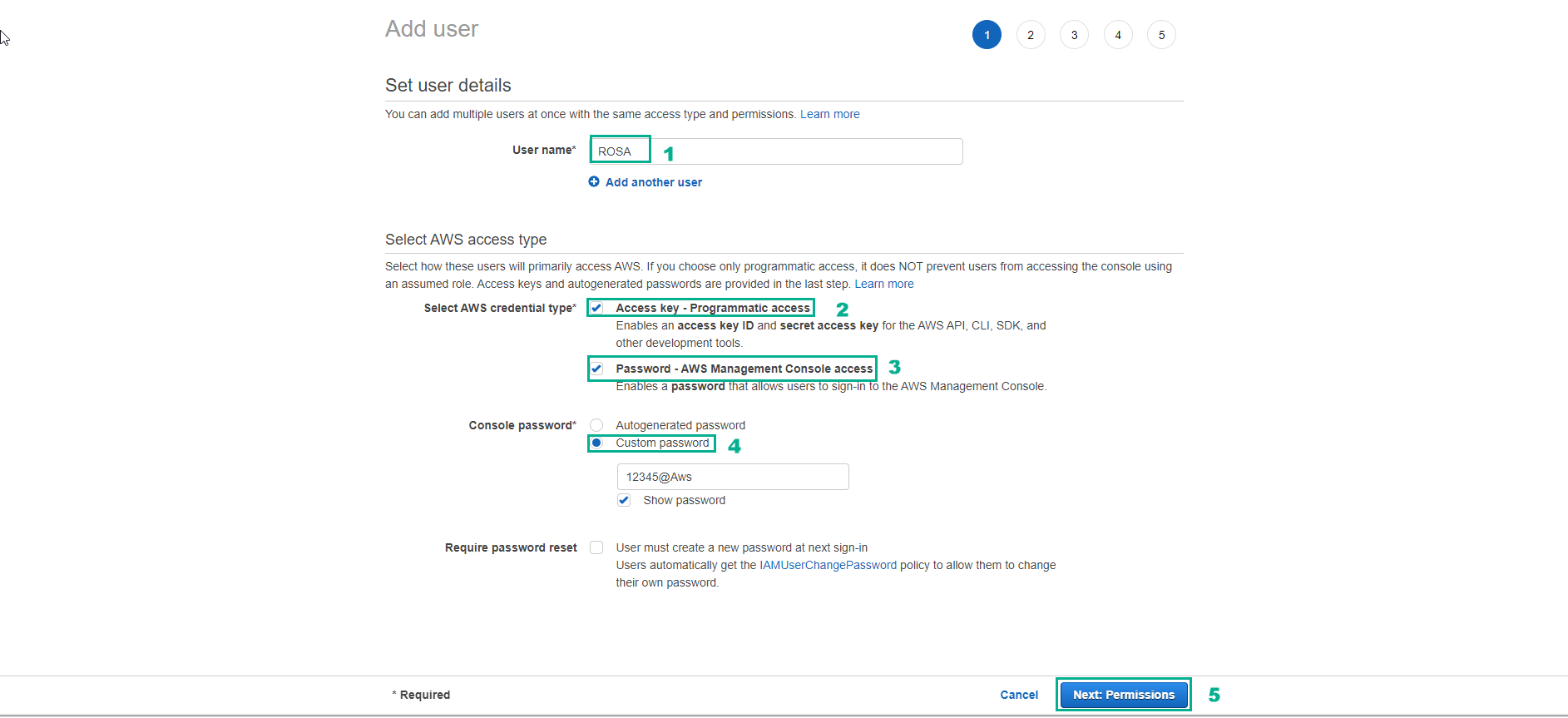
Trong giao diện Add user
- Username, nhập ROSA
- Chọn Access key - Programmatic access
- Chọn Password - AWS Management Console access
- Chọn Custom password sau đó nhập password bạn muốn.
- Bỏ chọn Require password reset
- Chọn Next:Permissions
-
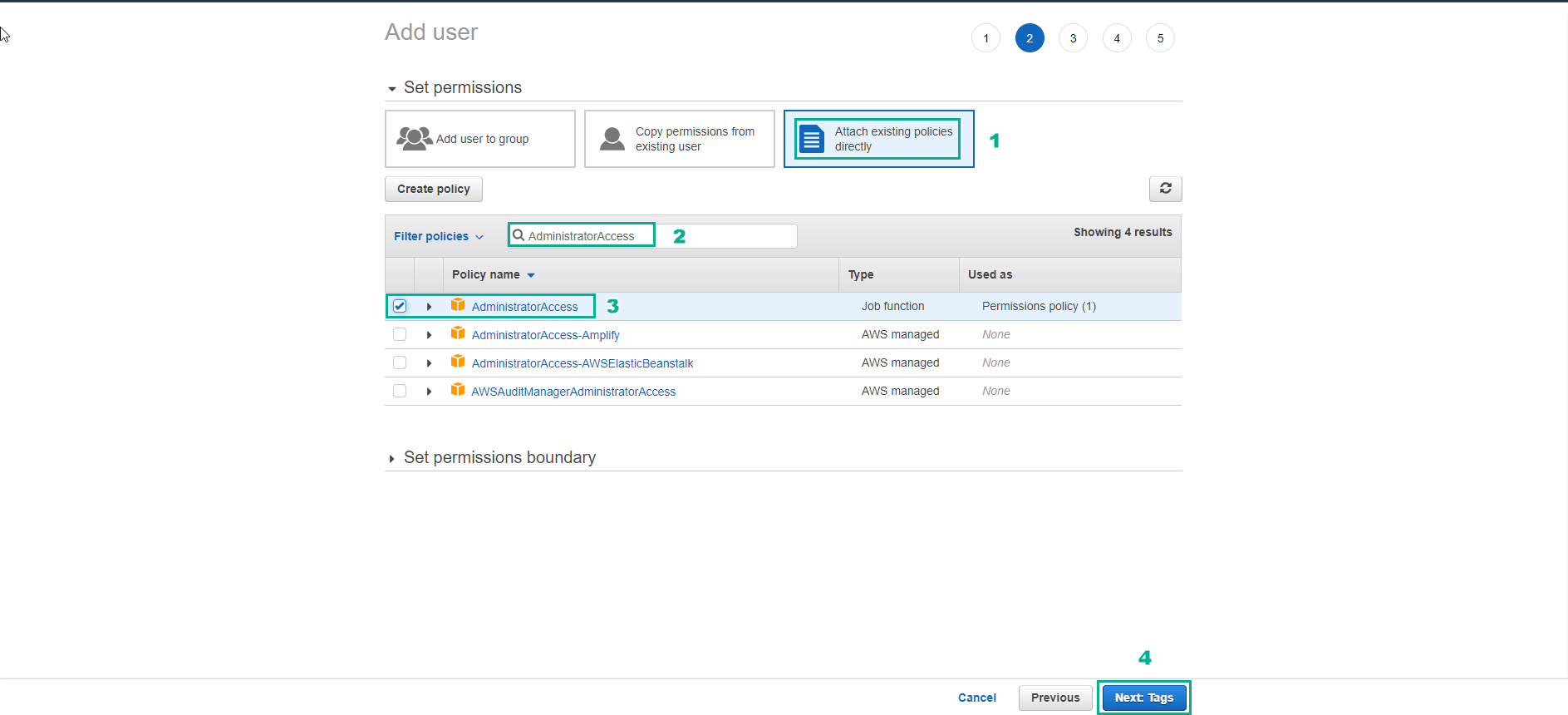
Tron giao diện Add user
- Chọn Attach existing policies directly
- Chọn AdministratorAccess
- Chọn Next:Tags
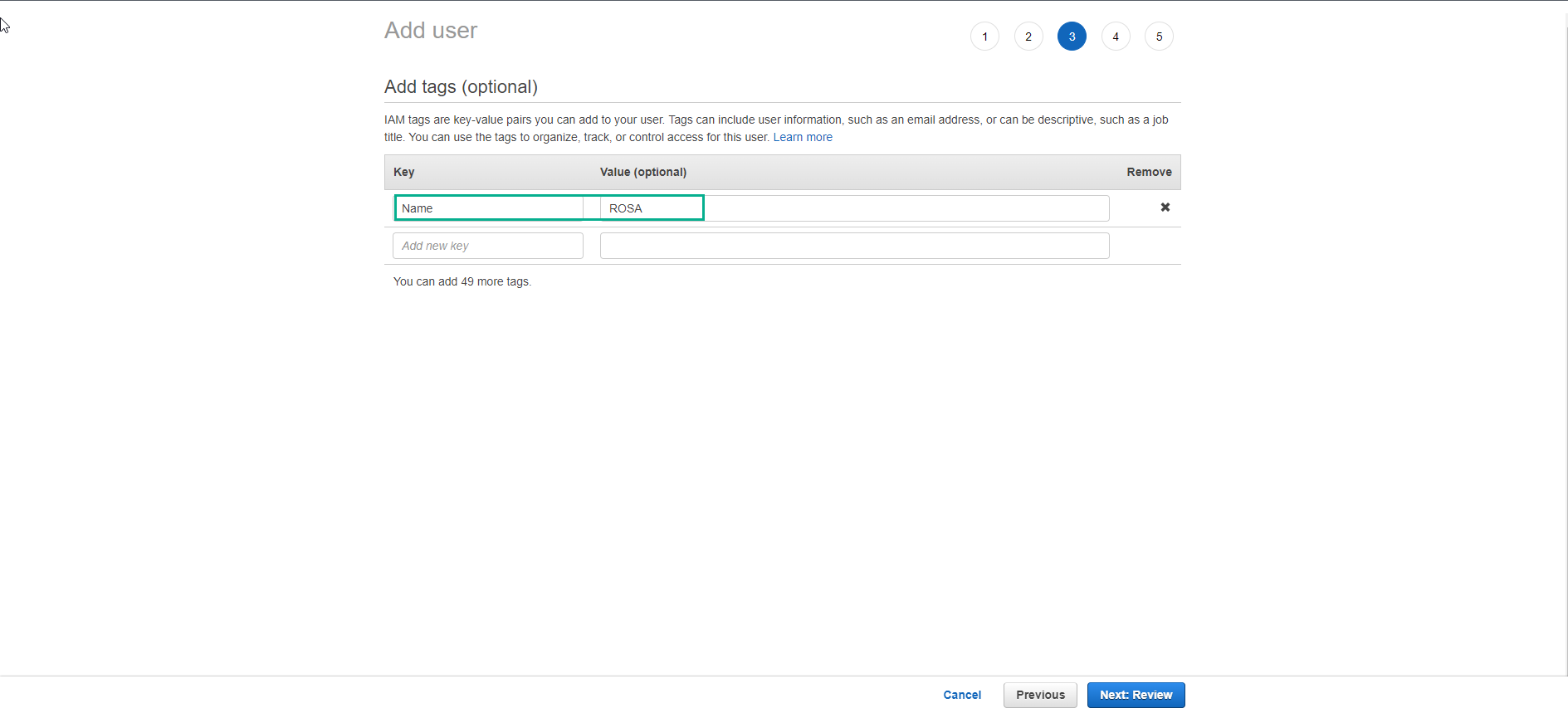
- Thêm tag và chọn Next:Review
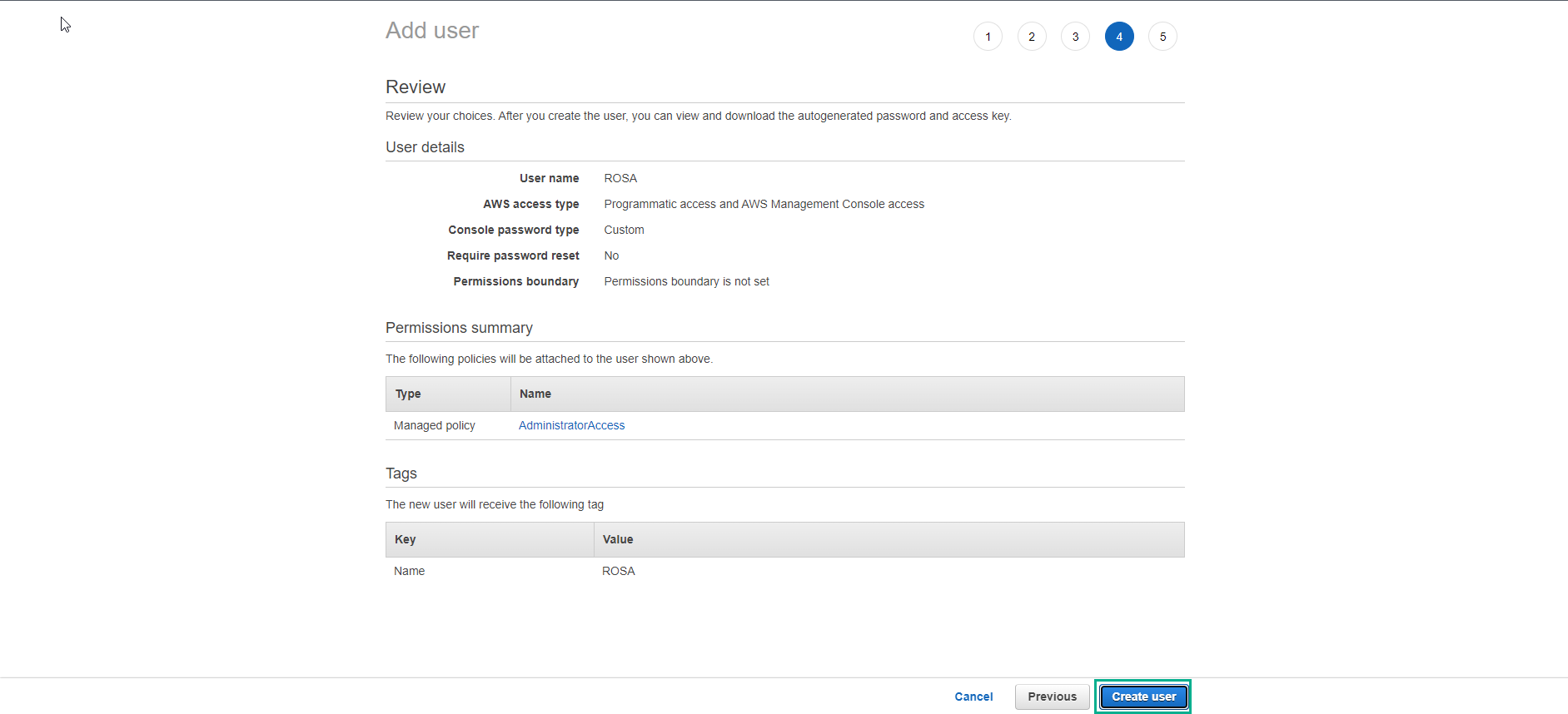
- Kiểm tra lại và chọn Create user
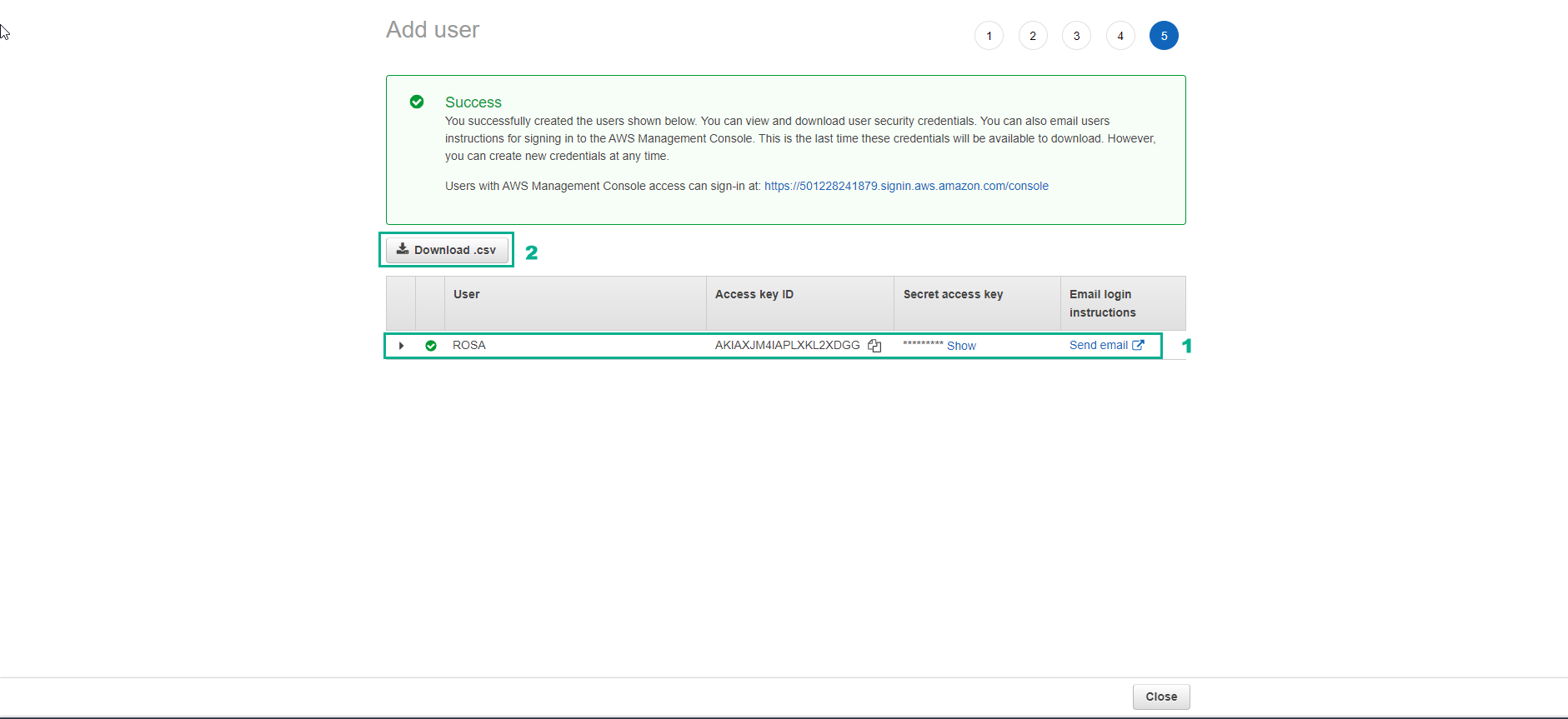
- Tạo user thành công.
- Download file csv và lưu trữ thông tin user.
-
Truy cập vào link sau để cài đặt AWS CLI theo hướng dẫn chính thức của AWS: https://docs.aws.amazon.com/cli/latest/userguide/getting-started-install.html
-
Nếu bạn chưa lưu thông tin user thì cũng có thể tạo access key trong IAM ccount để đăng nhập AWS thông qua CLI
- Truy cập vào IAM account thông qua menu bên phải → Security Credentials
- Tạo access key trong mục Access keys for CLI, SDK, & API access
- Cấu hình AWS CLI với credential đã được tạo
aws configure
