Cài đặt ROSA
Cài đặt ROSA
Cài đặt ROSA thông qua Red Hat Hybrid Cloud Console
- Thực hiện cài đặt ROSA
- Truy cập vào Red Hat Hybrid Cloud Console và đăng nhập vào tài khoản Red Hat của bạn: https://console.redhat.com/openshift/downloads
- Tải xuống ROSA cho nền tảng của bạn
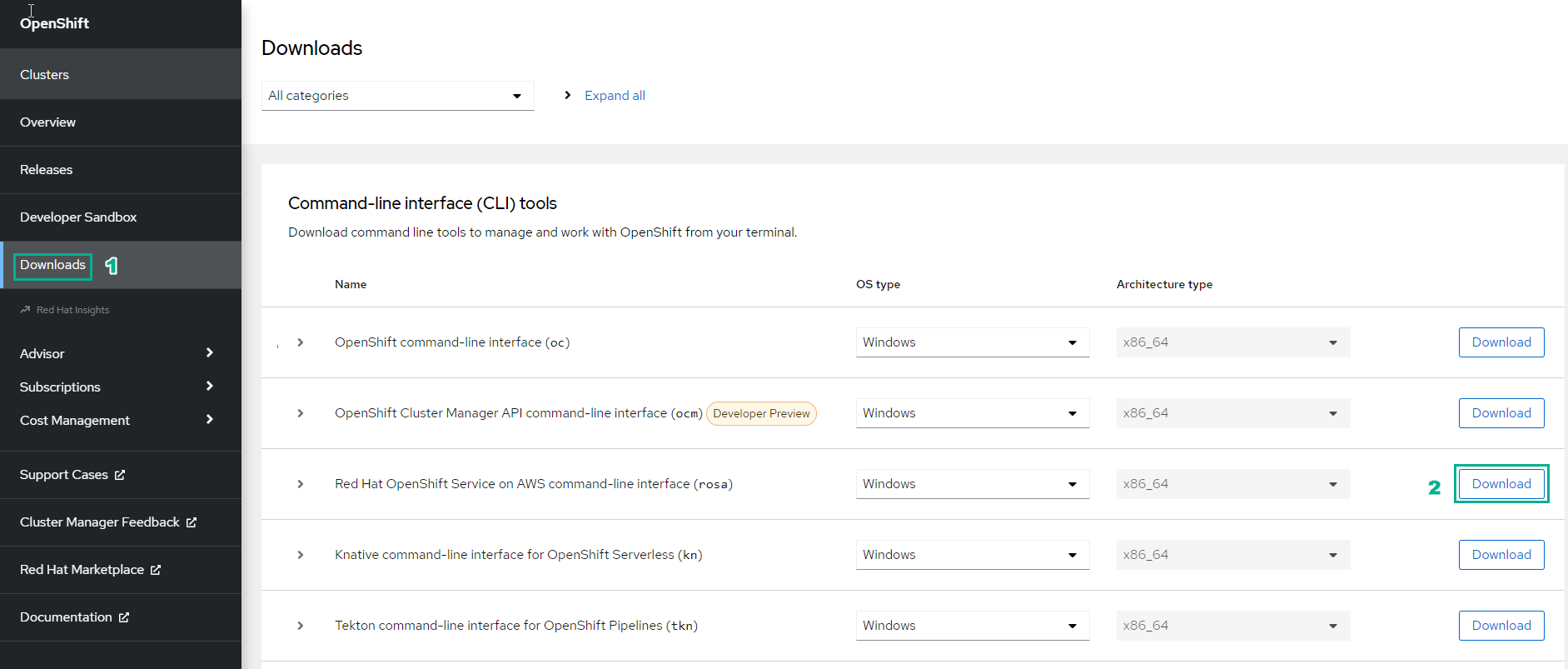
Cài đặt ROSA với hướng dẫn chính thức của Red Hat
-
Cài đặt ROSA
- Để cài đặt ROSA, bạn cần phải có tài khoản Red Hat, enable dịch vụ ROSA trên AWS console
- Truy cập vào đường link sau để cài đặt ROSA theo hướng dẫn chính thức của Red Hat: https://docs.openshift.com/rosa/rosa_install_access_delete_clusters/rosa_getting_started_iam/rosa-installing-rosa.html
- Kiểm tra việc cài đặt bằng cách chạy lệnh
rosa
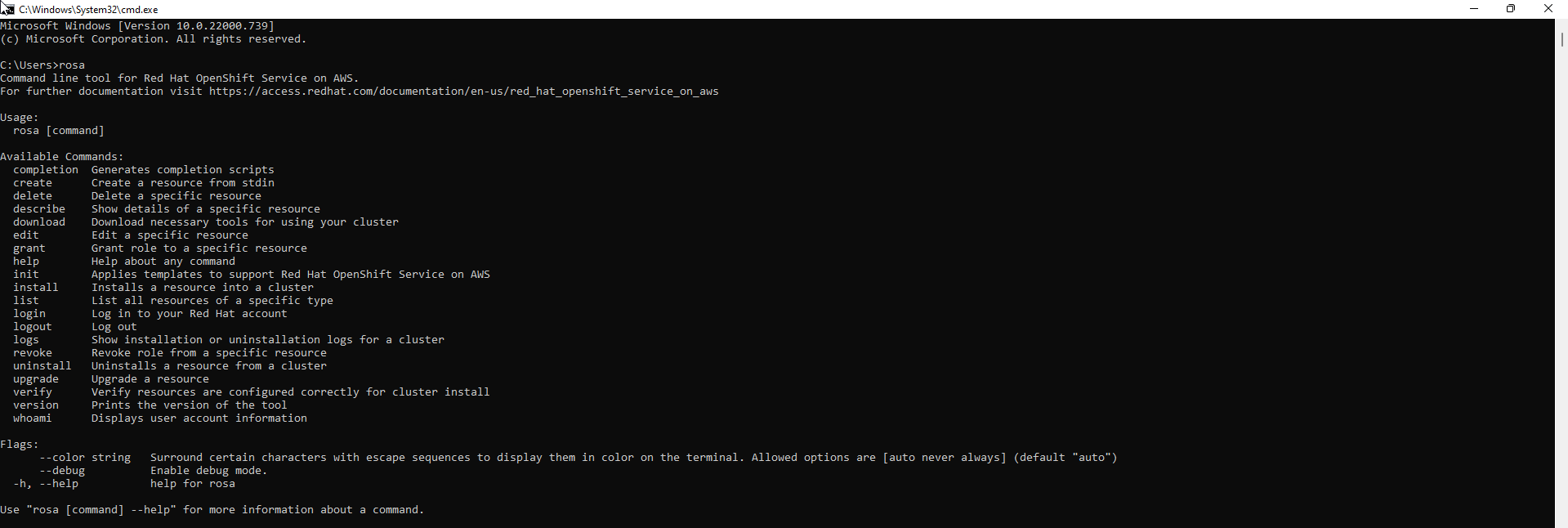
Bạn sẽ thấy kết quả như sau:
$ rosa
Command line tool for Red Hat OpenShift Service on AWS.
For further documentation visit https://access.redhat.com/documentation/en-us/red_hat_openshift_service_on_aws

Usage:
  rosa [command]

Available Commands:
  completion  Generates completion scripts
  create      Create a resource from stdin
  delete      Delete a specific resource
  describe    Show details of a specific resource
  download    Download necessary tools for using your cluster
  edit        Edit a specific resource
  grant       Grant role to a specific resource
  help        Help about any command
  init        Applies templates to support Red Hat OpenShift Service on AWS
  install     Installs a resource into a cluster
  list        List all resources of a specific type
  login       Log in to your Red Hat account
  logout      Log out
  logs        Show installation or uninstallation logs for a cluster
  revoke      Revoke role from a specific resource
  uninstall   Uninstalls a resource from a cluster
  upgrade     Upgrade a resource
  verify      Verify resources are configured correctly for cluster install
  version     Prints the version of the tool
  whoami      Displays user account information

Flags:
      --color string   Surround certain characters with escape sequences to display them in color on the terminal. Allowed options are [auto never always] (default "auto")
      --debug          Enable debug mode.
  -h, --help           help for rosa

Use "rosa [command] --help" for more information about a command.
- Nhập lệnh sau để xác minh rằng tài khoản AWS của bạn có các quyền cần thiết
rosa verify permissions

- Kết quả:
I: Validating SCP policies...
I: AWS SCP policies ok
Cài đặt Openshift CLI (oc)
-
Cài đặt ROSA thông qua Red Hat Hybrid Cloud Console
- Tương tự như với ROSA, bạn cũng có thể truy cập vào Red Hat Hybrid Cloud Console và đăng nhập vào tài khoản Red Hat của bạn: https://console.redhat.com/openshift/downloads
- Tải xuống OpenShift command-line interface cho nền tảng của bạn
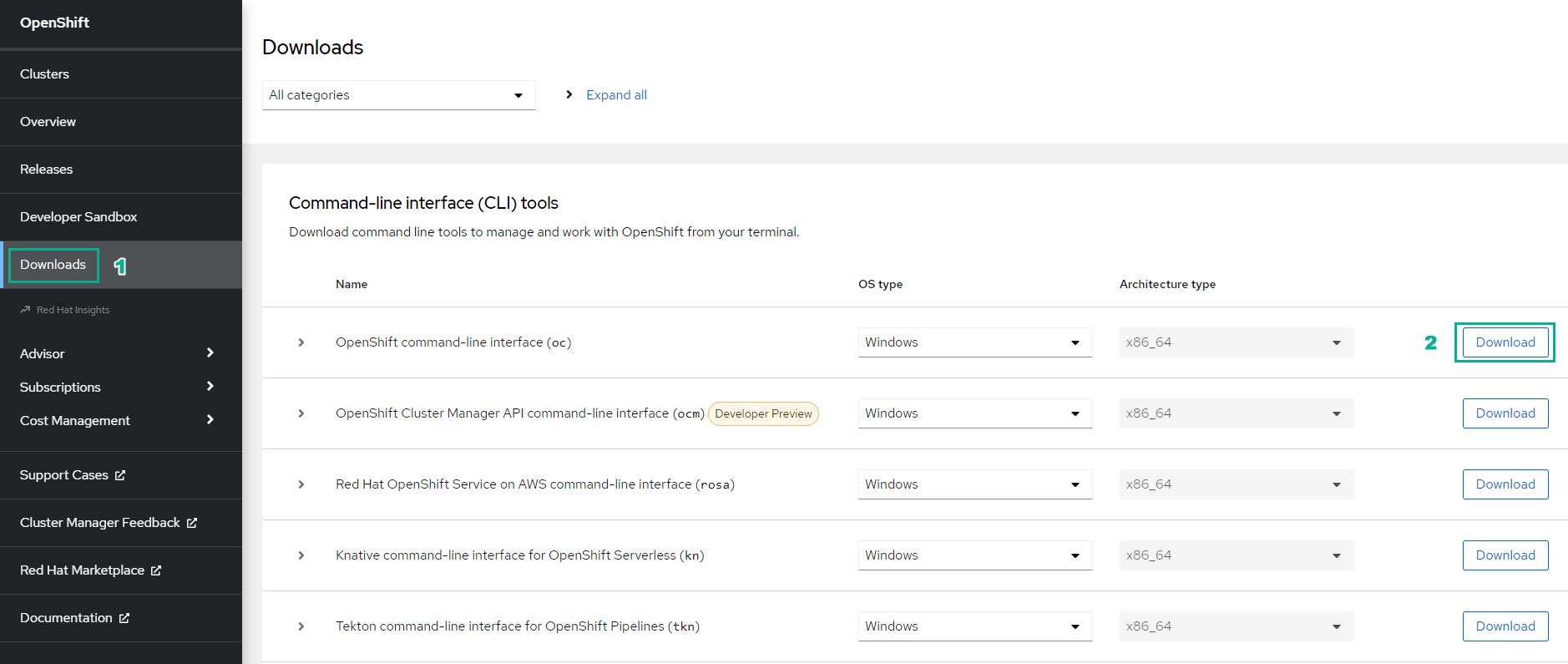
-
Cài đặt OpenShift CLI với hướng dẫn chính thức của Red Hat. Bạn nên thêm path/install vào thư mục hiện tại để tránh chạy lỗi lệnh.
- Truy cập vào đường link sau để cài đặt OpenShift CLI theo hướng dẫn chính thức của Red Hat: https://docs.openshift.com/container-platform/4.10/cli_reference/openshift_cli/getting-started-cli.html
- Kiểm tra việc cài đặt bằng cách chạy lệnh
oc
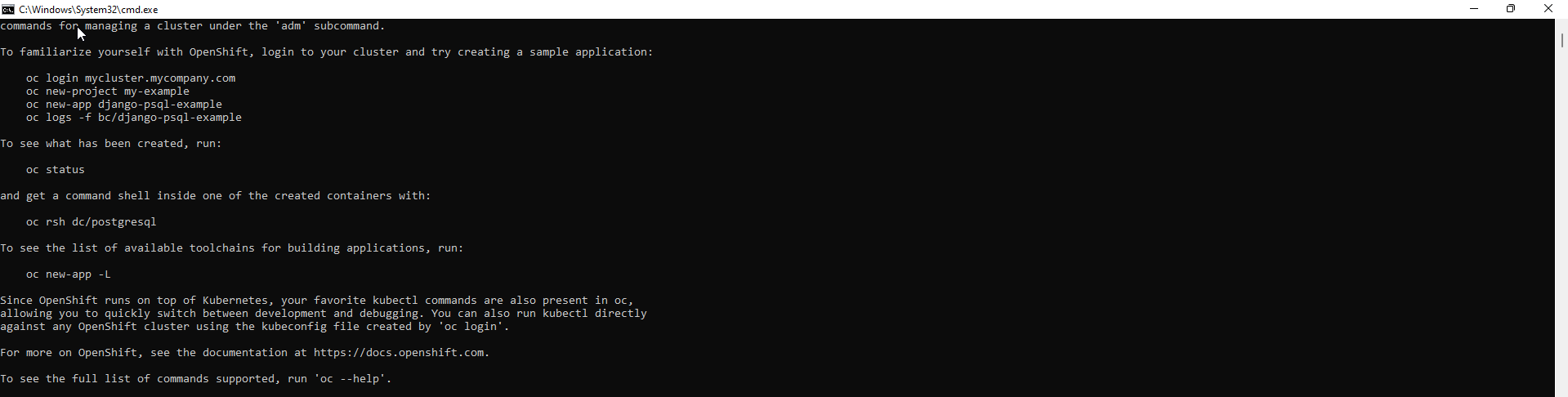
- Kết quả:
$ oc

OpenShift Client

This client helps you develop, build, deploy, and run your applications on any
OpenShift or Kubernetes cluster. It also includes the administrative
commands for managing a cluster under the 'adm' subcommand.

To familiarize yourself with OpenShift, login to your cluster and try creating a
sample application:

    oc login mycluster.mycompany.com
    oc new-project my-example
    oc new-app django-psql-example
    oc logs -f bc/django-psql-example

To see what has been created, run:

    oc status

and get a command shell inside one of the created containers with:

    oc rsh dc/postgresql

To see the list of available toolchains for building applications, run:

    oc new-app -L

Since OpenShift runs on top of Kubernetes, your favorite kubectl commands are
also present in oc,
allowing you to quickly switch between development and debugging. You can also
run kubectl directly
against any OpenShift cluster using the kubeconfig file created by 'oc login'.

For more on OpenShift, see the documentation at https://docs.openshift.com.

To see the full list of commands supported, run 'oc --help'.