Generate Access Key
Generate Access key
-
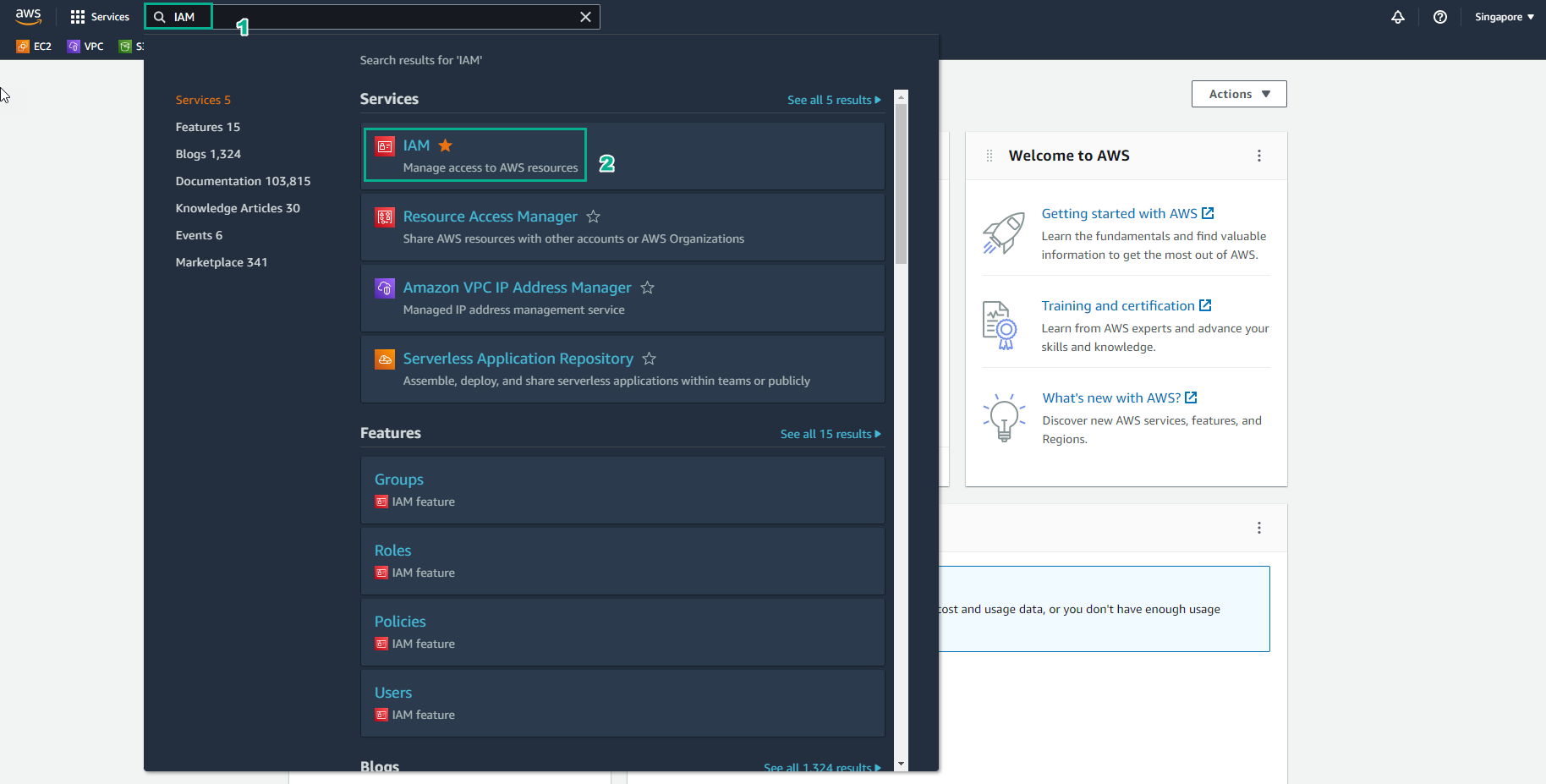
Go to AWS Management Console
- Find IAM
- Select IAM
-
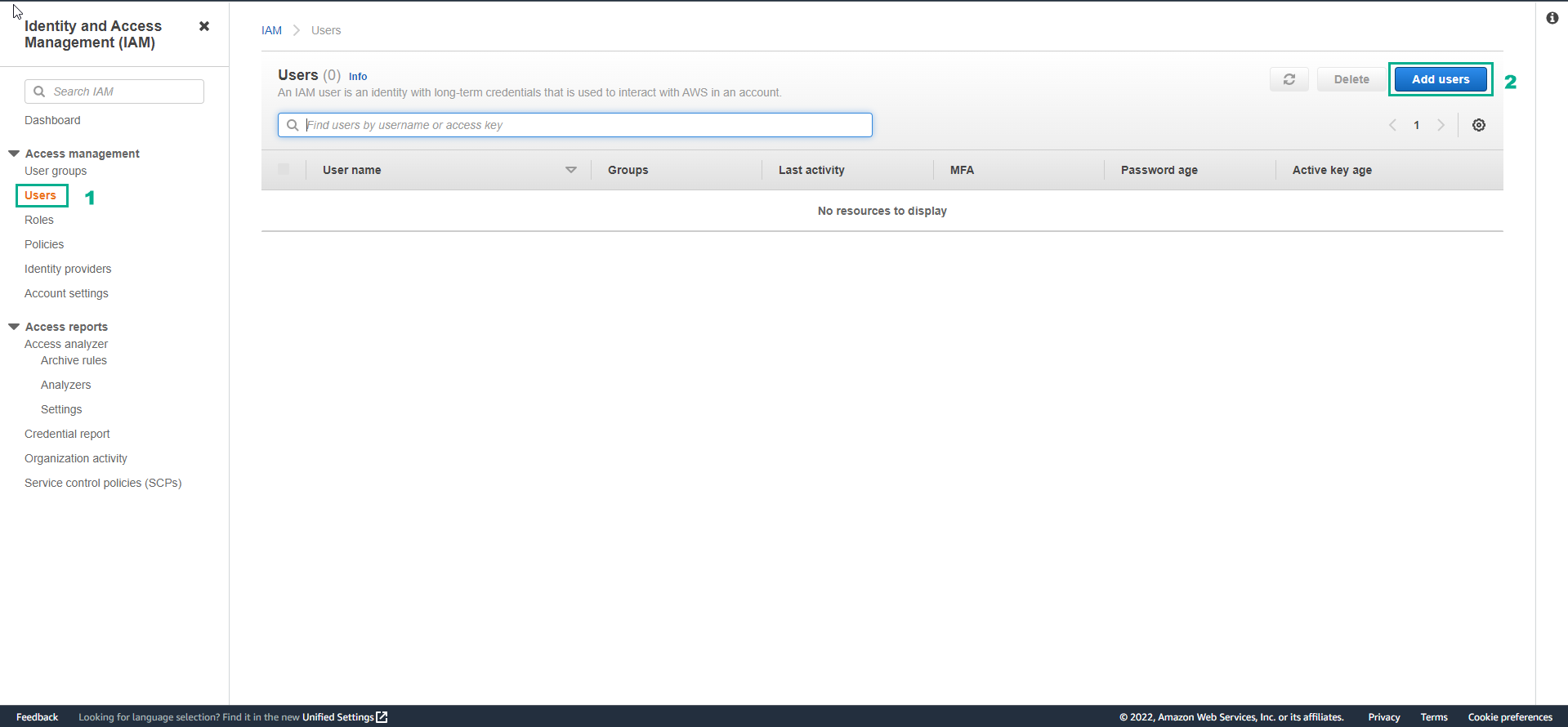
In the IAM interface
- Select Users
- Select Add user
-
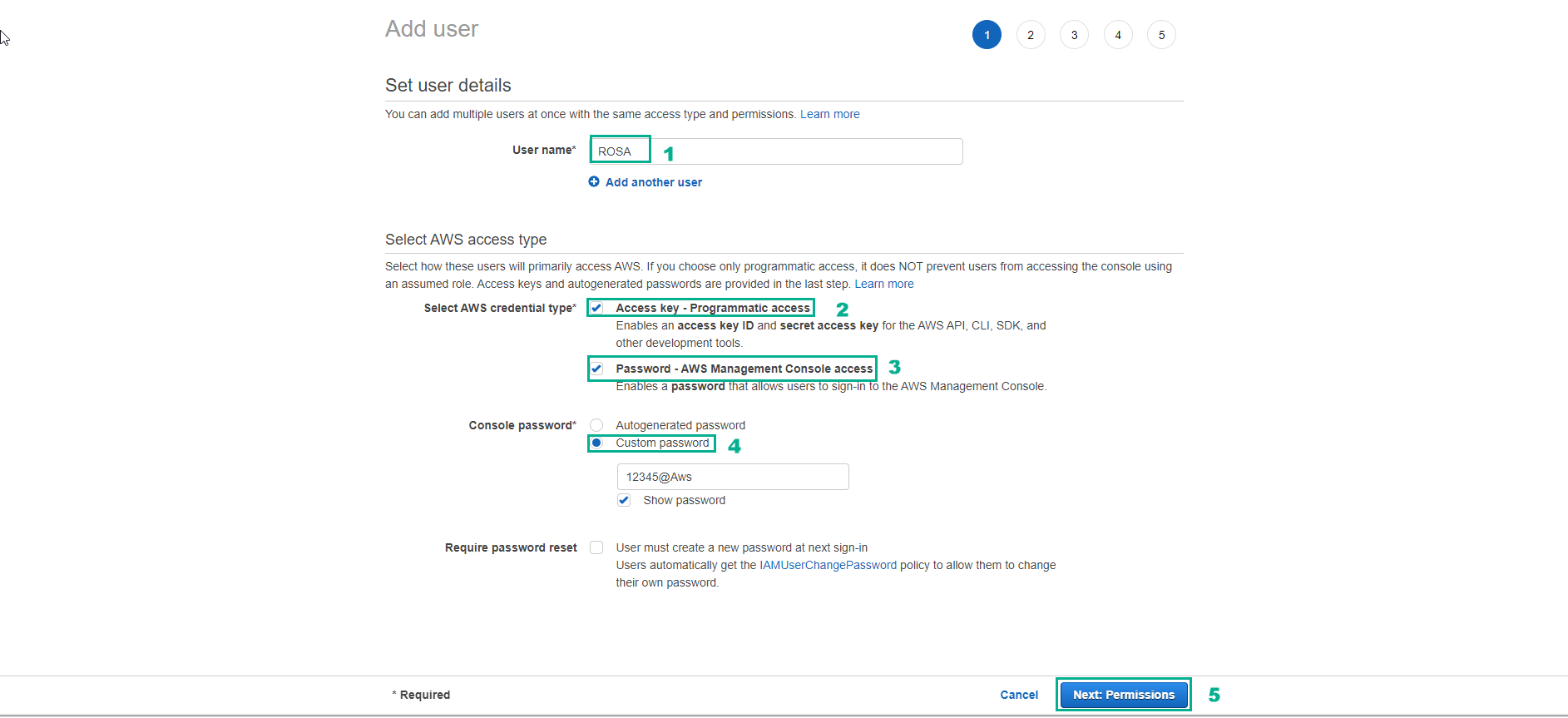
In the Add user interface
- Username, enter ROSA
- Select Access key - Programmatic access
- Select Password - AWS Management Console access
- Select Custom password then enter the password you want.
- Uncheck Require password reset
- Select Next:Permissions
-
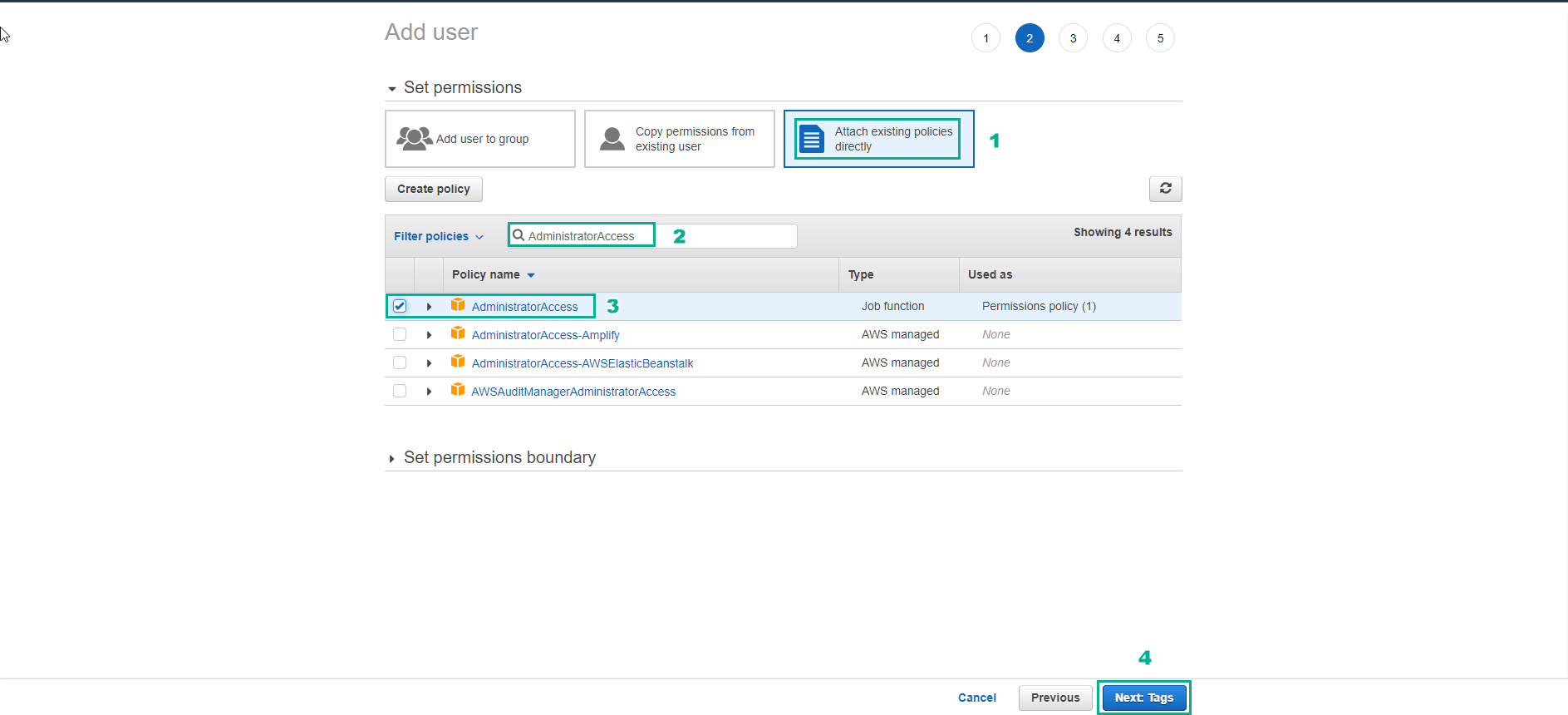
Tron interface Add user
- Select Attach existing policies directly
- Select AdministratorAccess
- Select Next:Tags
- Add tag and select Next: Review
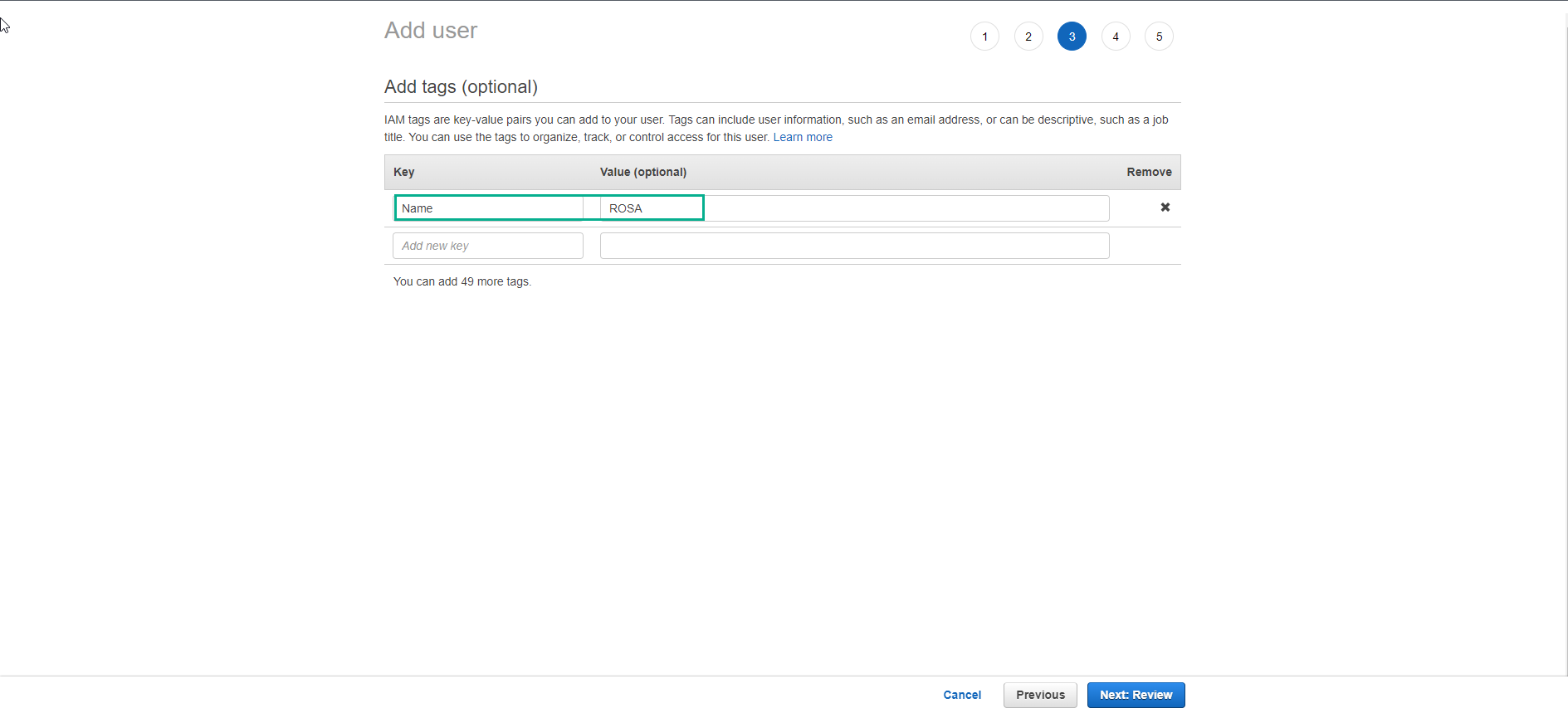
- Check again and select Create user
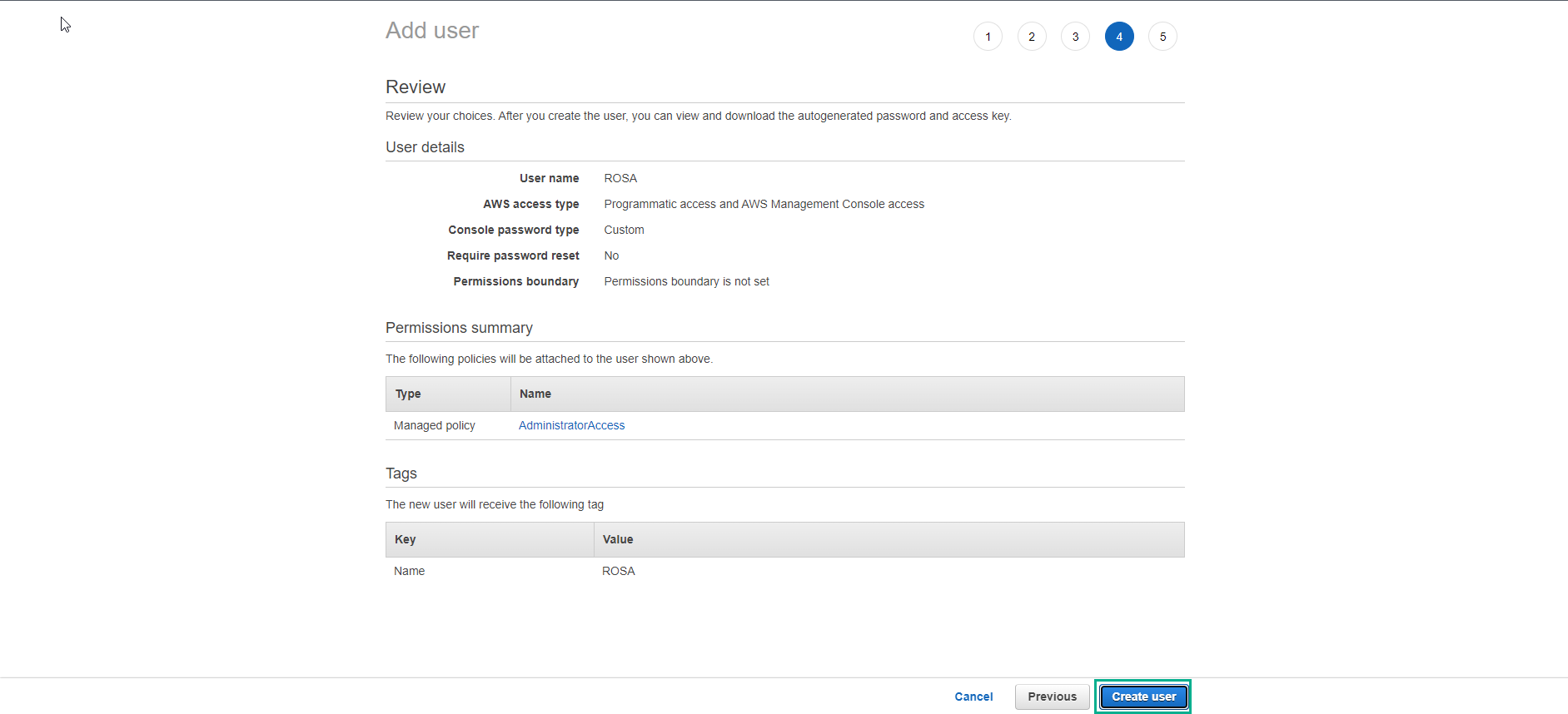
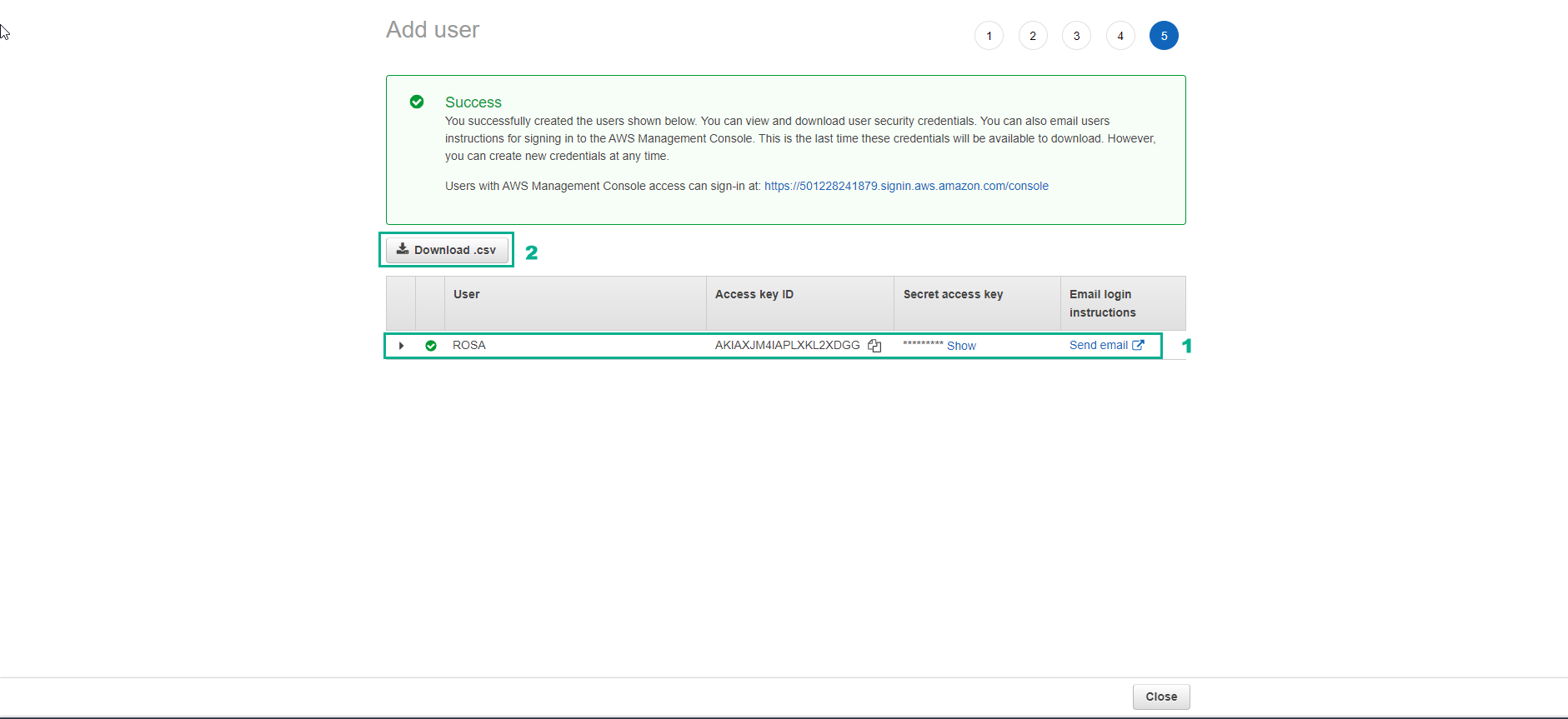
- Create a user successfully.
- Download csv file and store user information.
-
Visit the following link to install the AWS CLI according to the official AWS instructions: [https://docs.aws.amazon.com/cli/latest/userguide/getting-started-install.html](https: //docs.aws.amazon.com/cli/latest/userguide/getting-started-install.html)
-
If you have not saved user information, you can also create an access key in IAM account to log in to AWS via CLI
- Access to IAM account via the right menu → Security Credentials
- Generate access key in Access keys for CLI, SDK, & API access section
- Configure AWS CLI with created credential
aws configure
