Create New Repository on CodeCommit
Create a new Repository on CodeCommit
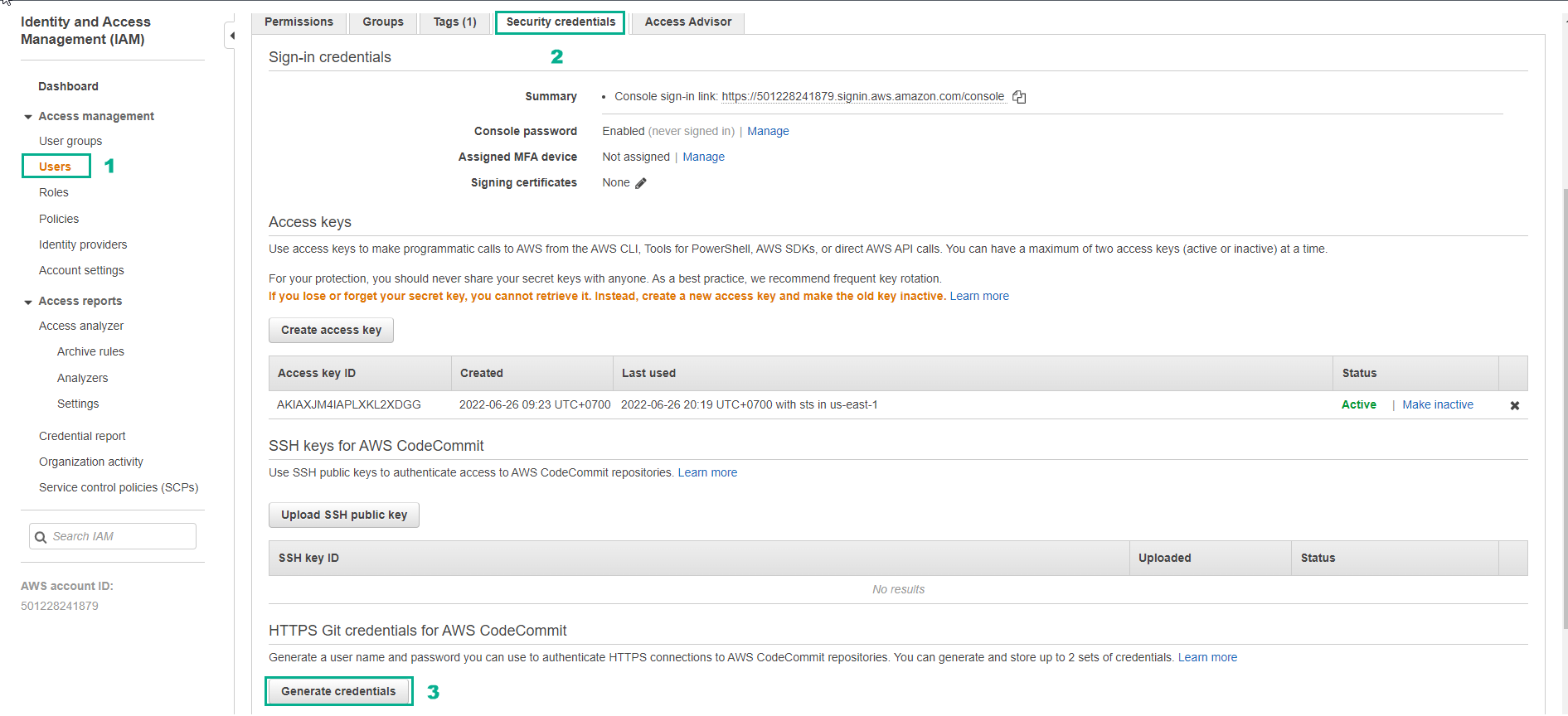
- Create a CodeCommit credential under Security Credentials in your AWS account
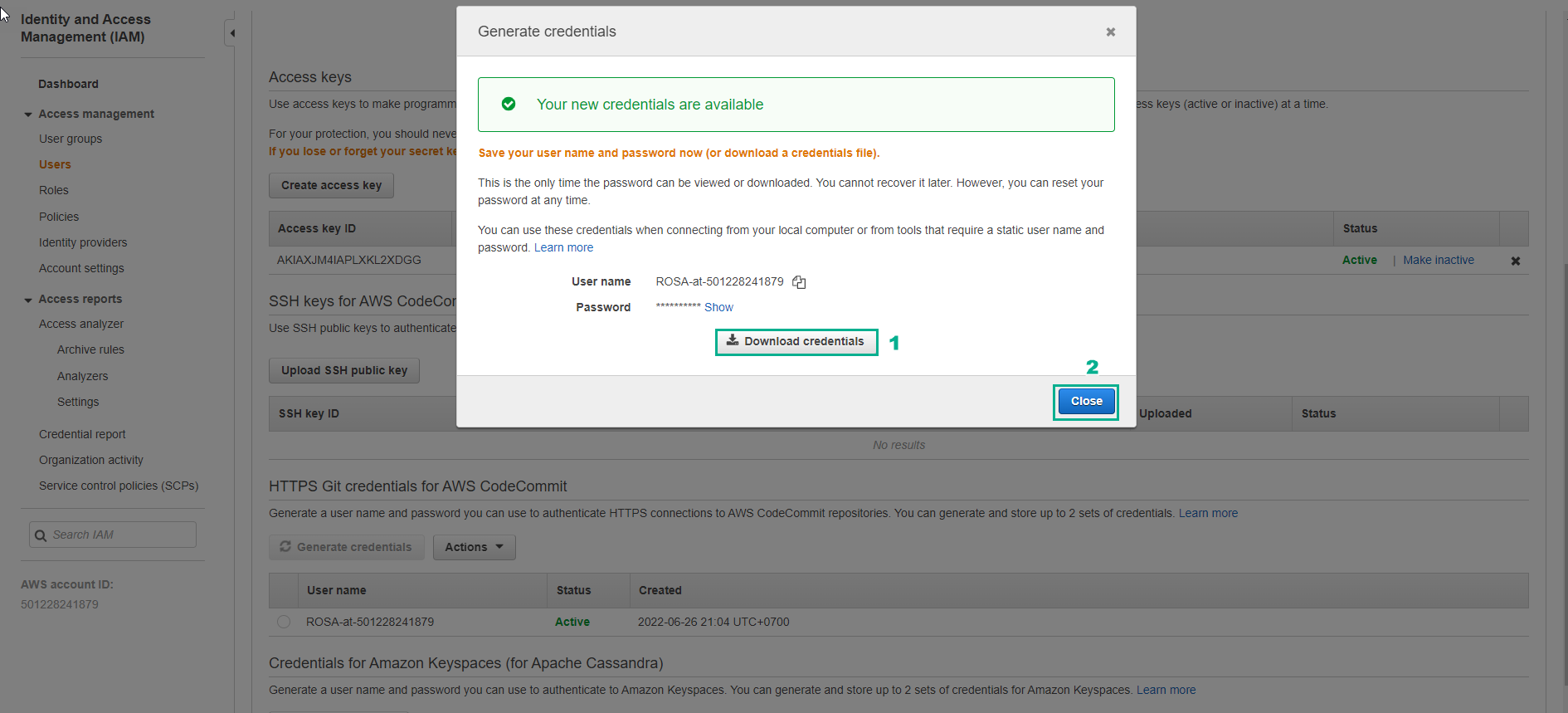
- Complete CodeCommit credential creation in Security Credentials in your AWS account
-
Create a new repository on CodeCommit, use the account created in the previous step to clone, modify and push
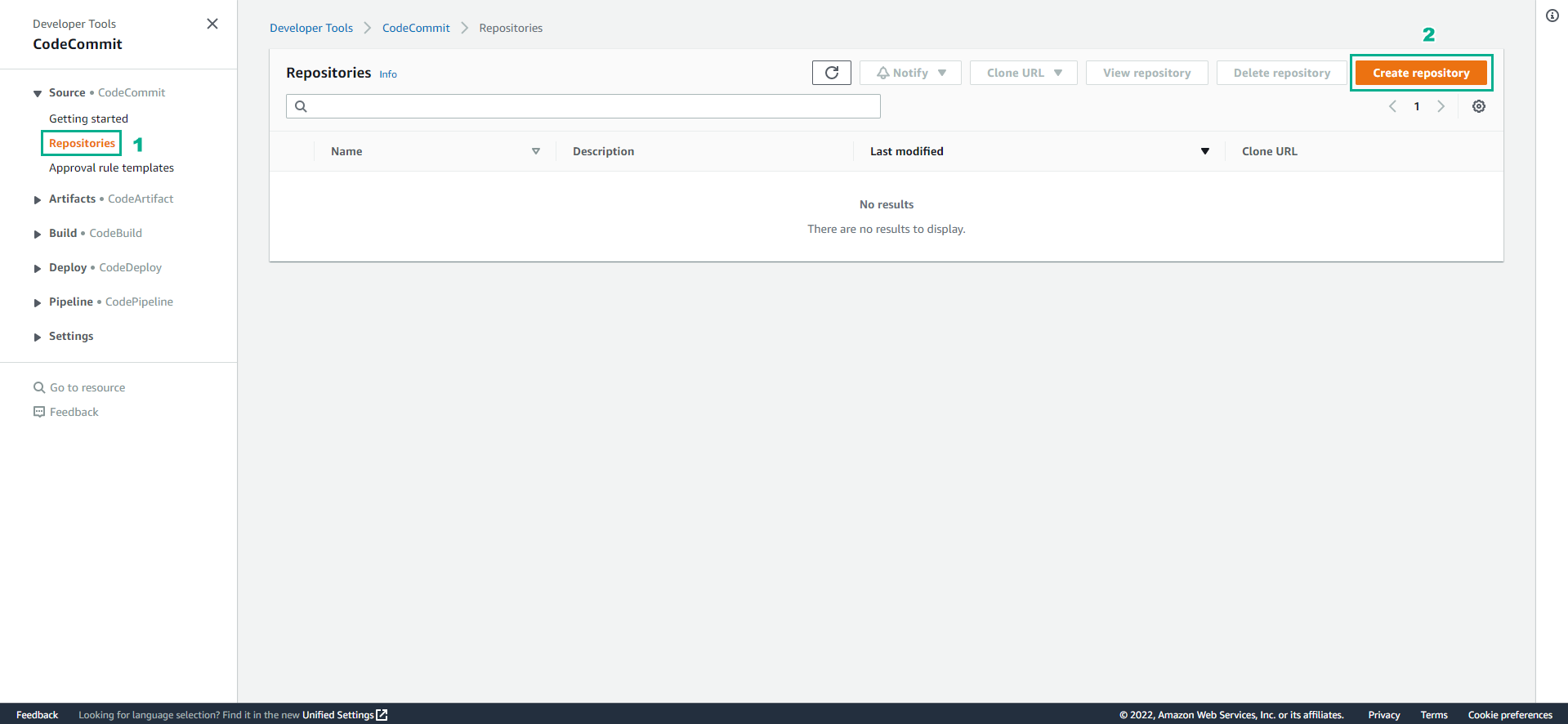
- Access to CodeCommit
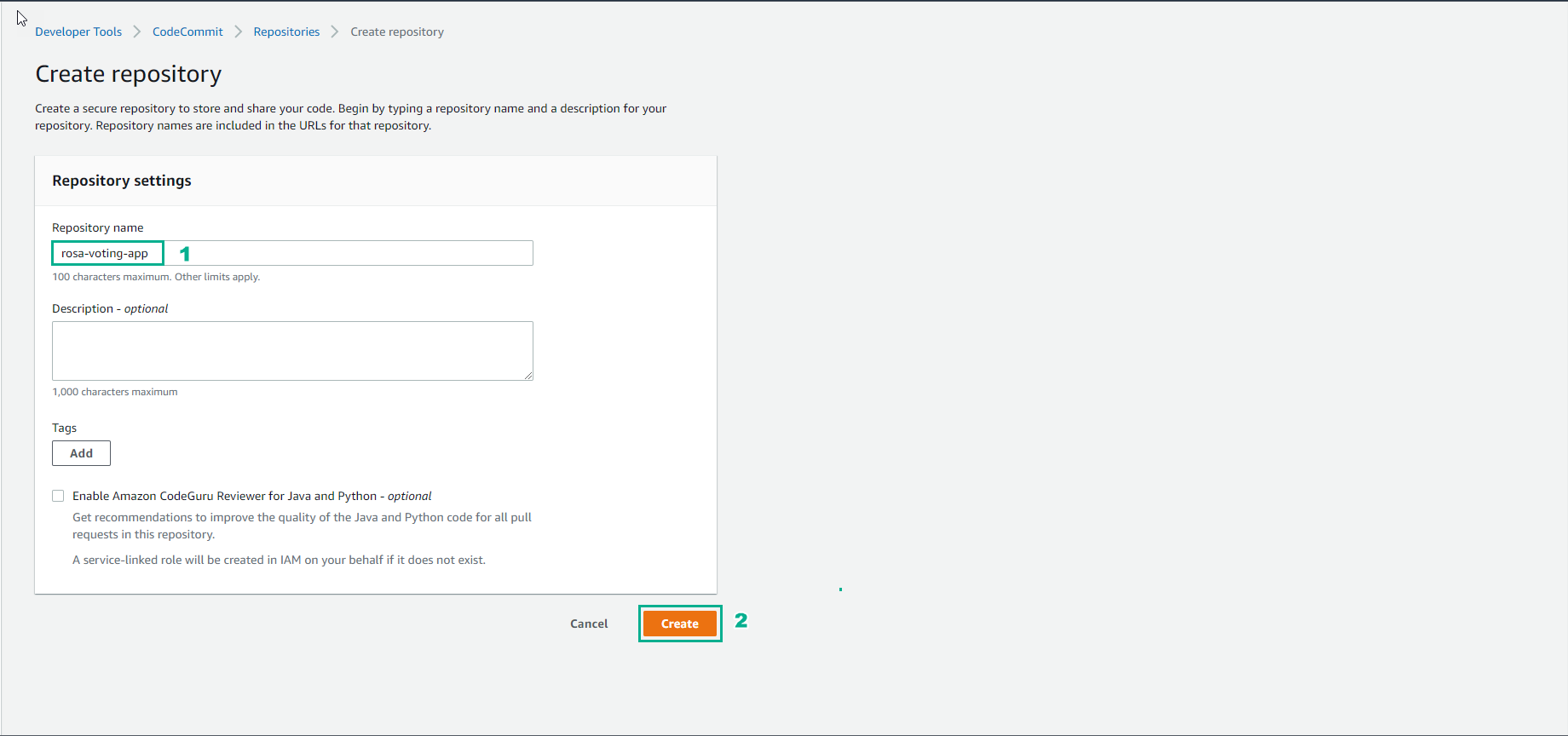
- Select Create repository
-
In the Create repository interface
- Enter
rosa-voting-app - Select Create
- Enter
-
Move code from github repo to CodeCommit repo and push changes to CodeCommit repo
- Check the buildspec.yml file and replace it with the following content:
version: 0.2

phases:
  pre_build:
    commands:
      - echo Hello World
      - echo Testing codebuild flow
  post_build:
    commands:
      - echo Test successful!
- Then do push code up.
git add .
git commit -m "rosa-voting-app"
git remote set-url origin [CodeCommit Repository URL]
git push origin master
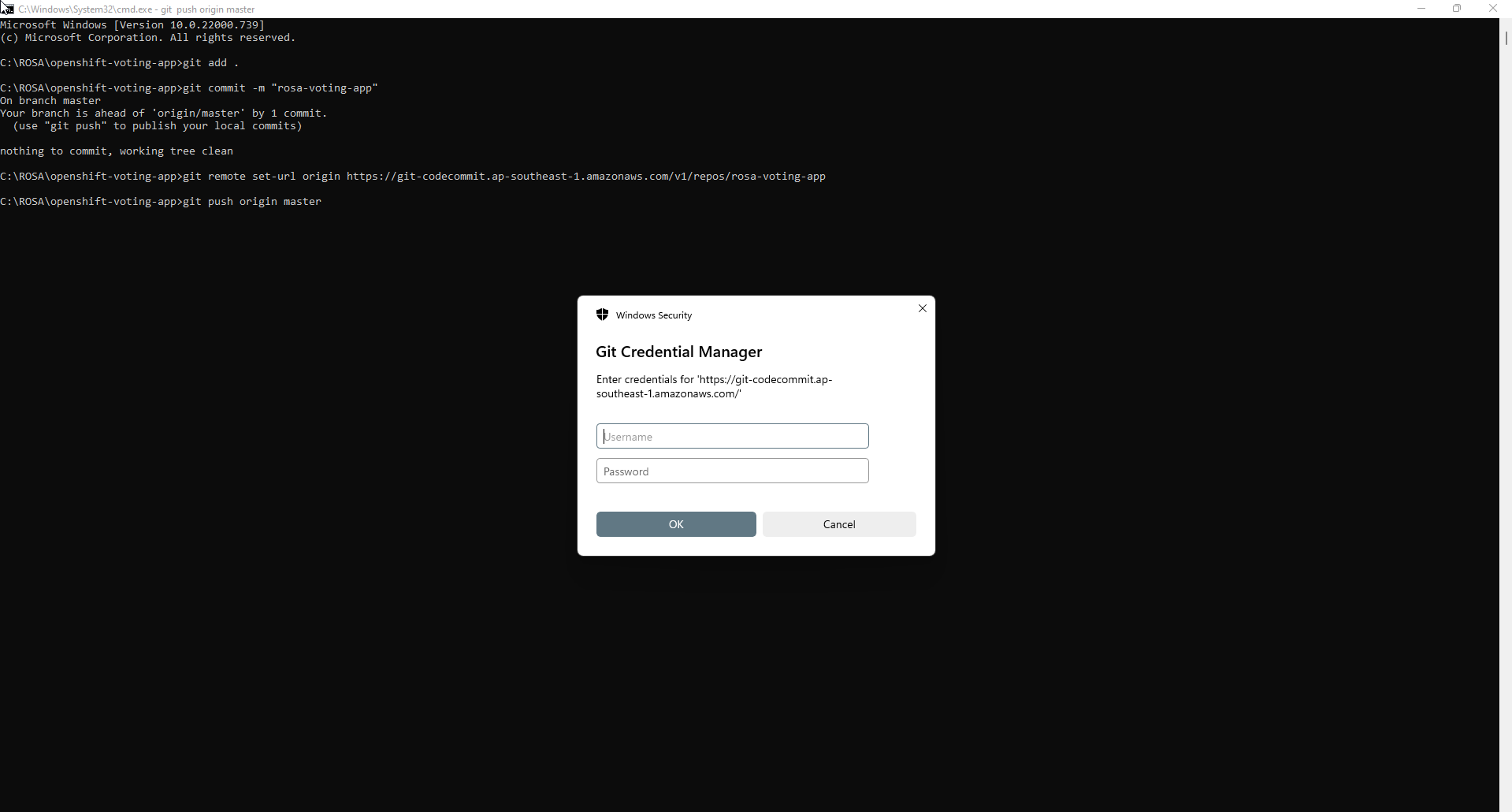
- Enter the generated credentials and complete the push code.
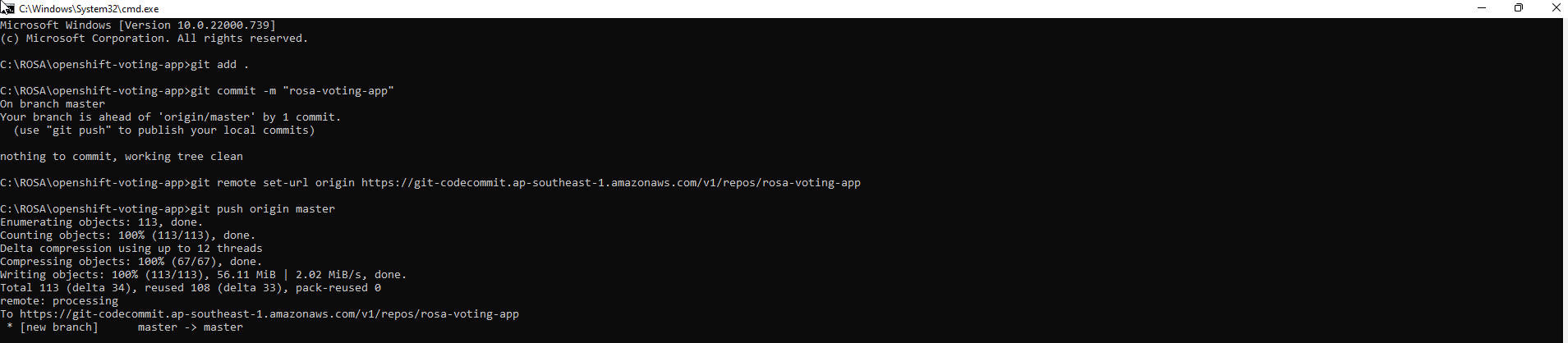
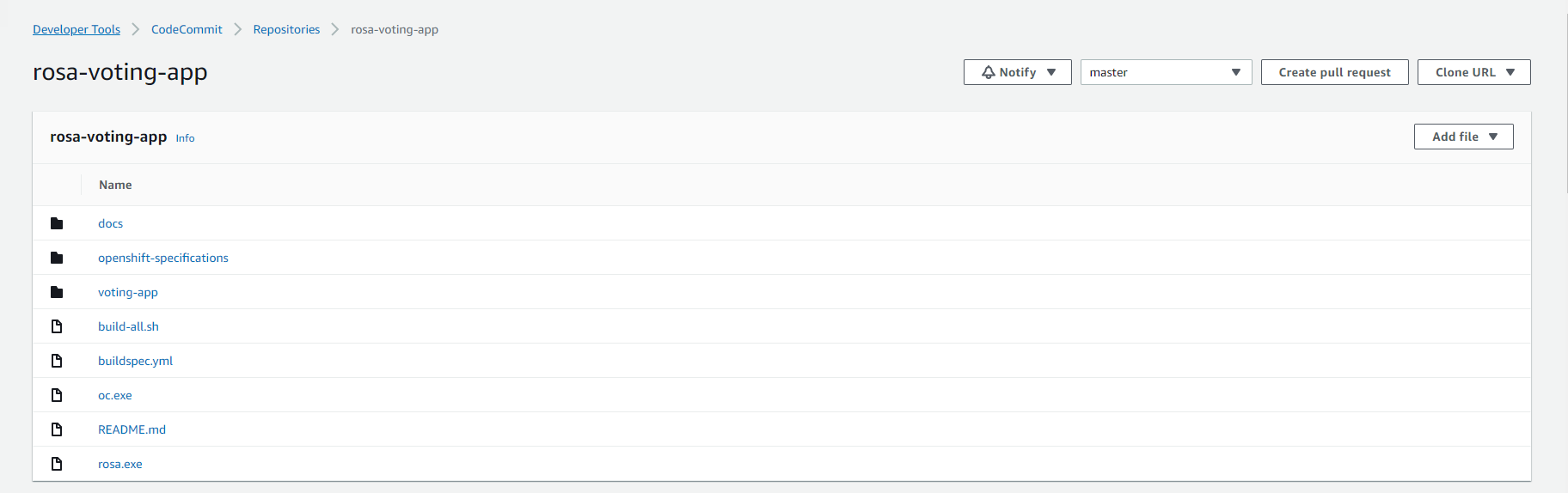
- Review the pushed code.